Excel downloading
Posted by Vladimir Korochkin on February 18, 2014
Tuan, Mark, Hi!
I have question concerning downloading data from server by Excel format.
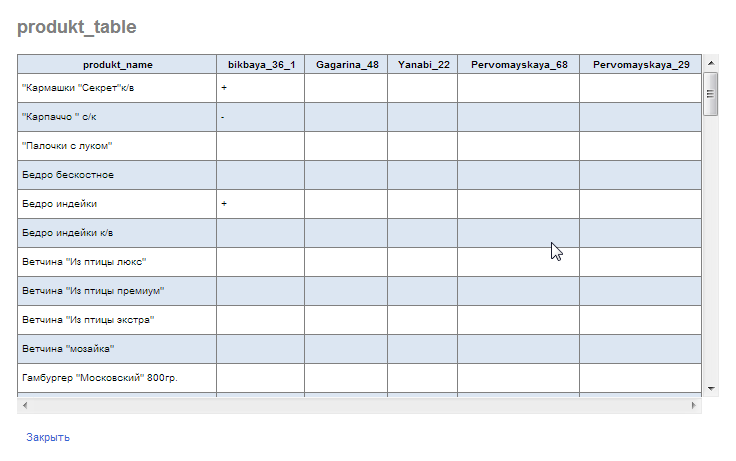
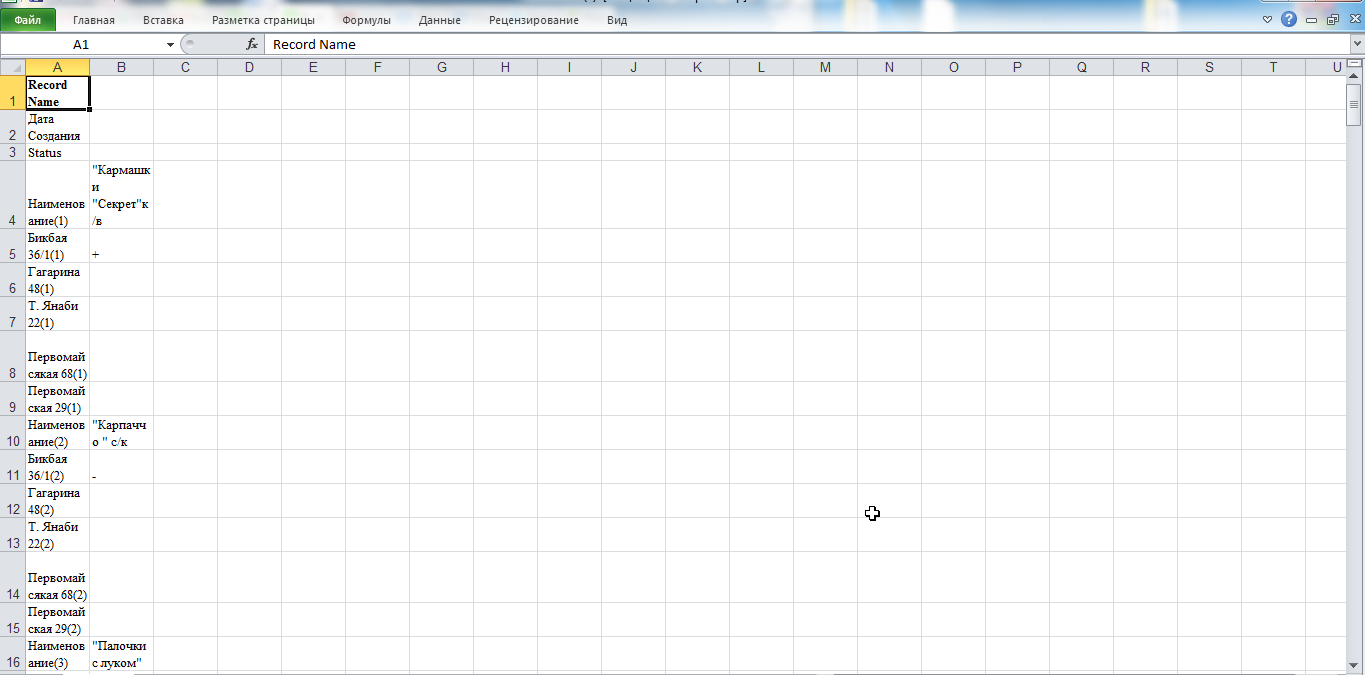
First of all its downloading table. If we look at table when it at server (see picture "table if we look at server") - it is suitable for our client. But if we download it from server using Excel format - we have different table (see picture "downloaded table") not convenient for use. How we should configure downloading to get the same table as the server table?
Please help me to configure that downloading. Account: bpk
I have question concerning downloading data from server by Excel format.
First of all its downloading table. If we look at table when it at server (see picture "table if we look at server") - it is suitable for our client. But if we download it from server using Excel format - we have different table (see picture "downloaded table") not convenient for use. How we should configure downloading to get the same table as the server table?
Please help me to configure that downloading. Account: bpk
Comments
Tuan Dao on February 19, 2014:
Are you using the standard report template or the custom report template ?
If it was the custom report template then please send us the excel template you are using.
And also provide the form name then we can investigate what happening.
Thank you,
Tuan
Vladimir Korochkin on February 19, 2014:
Form name: asortiment
Tuan Dao on February 19, 2014:
Vladimir Korochkin on February 19, 2014:
Tuan Dao on February 20, 2014:
http://support.doforms.com/hc/en-us/sections/200068985-Creating-Reports
Thank you,
Tuan
Vladimir Korochkin on February 20, 2014:
But can you help me to create custom report in my case, when we should download data from table?
Vladimir Korochkin on February 20, 2014:
Account: bpk
Form: asortiment
Vladimir Korochkin on February 20, 2014:
Now I want to create custom report from data in form: asortiment numeric
Tuan Dao on February 21, 2014:
Vladimir Korochkin on February 21, 2014:
Vladimir Korochkin on February 21, 2014: